> For the complete documentation index, see [llms.txt](https://legacy.docs.synteq.com/llms.txt). Markdown versions of documentation pages are available by appending `.md` to page URLs; this page is available as [Markdown](https://legacy.docs.synteq.com/networking/bgp-and-vlans/vlan-types-available-at-synteq.md).
# VLAN types available at Synteq
What VLAN types are available at Synteq, and how to request a VLAN.
## What is a VLAN?
A Virtual Local Area Network (VLAN) provides two key networking capabilities for your infrastructure. You can use VLANs to create private networks that allow your servers to communicate directly with each other using local IP addresses, or use them for their floating capabilities.
## For which products are VLANs available at Synteq?
Currently, Synteq only supports VLANs for dedicated servers. The minimum number of servers that you need to have to request a VLAN is two.
We might be able to make changes to the above depending on individual circumstances, thus don't hesitate to reach out to us using the buttons on the right top!
## What types of VLANs are available at Synteq?
### 1. Non-routed private VLAN
This VLAN connects all of your servers into a local network, enabling fast, secure communication between your infrastructure. By keeping internal traffic on a private network, you avoid the latency associated with routing through public networks, while ensuring that sensitive server to server communication never leaves your isolated environment.
### 2. Routed VLAN
A routed VLAN gives you floating IPs - public IP addresses that aren't tied to a specific server. With floating IPs on a VLAN, you can quickly move a public IP address between different servers as needed, making it easy to handle failovers, perform maintenance, or restructure your infrastructure without downtime.
If you're hosting VPS , VLANs with floating IPs eliminate the need to maintain separate IP address lists for each hypervisor. Instead, you can manage a shared pool of IPs across your VLAN, dynamically assigning them to virtual machines regardless of which physical host they're running on.
## How to request a VLAN at Synteq
### 1. Check if you have available ports on your dedicated servers
{% hint style="info" %}
This is only applicable if you are looking to get a non-routed private VLAN
{% endhint %}
You can check this by running the following command:
```
ip link show
```
And looking for an interface, that shows up as:
```
state DOWN
```
### 2. Open a ticket
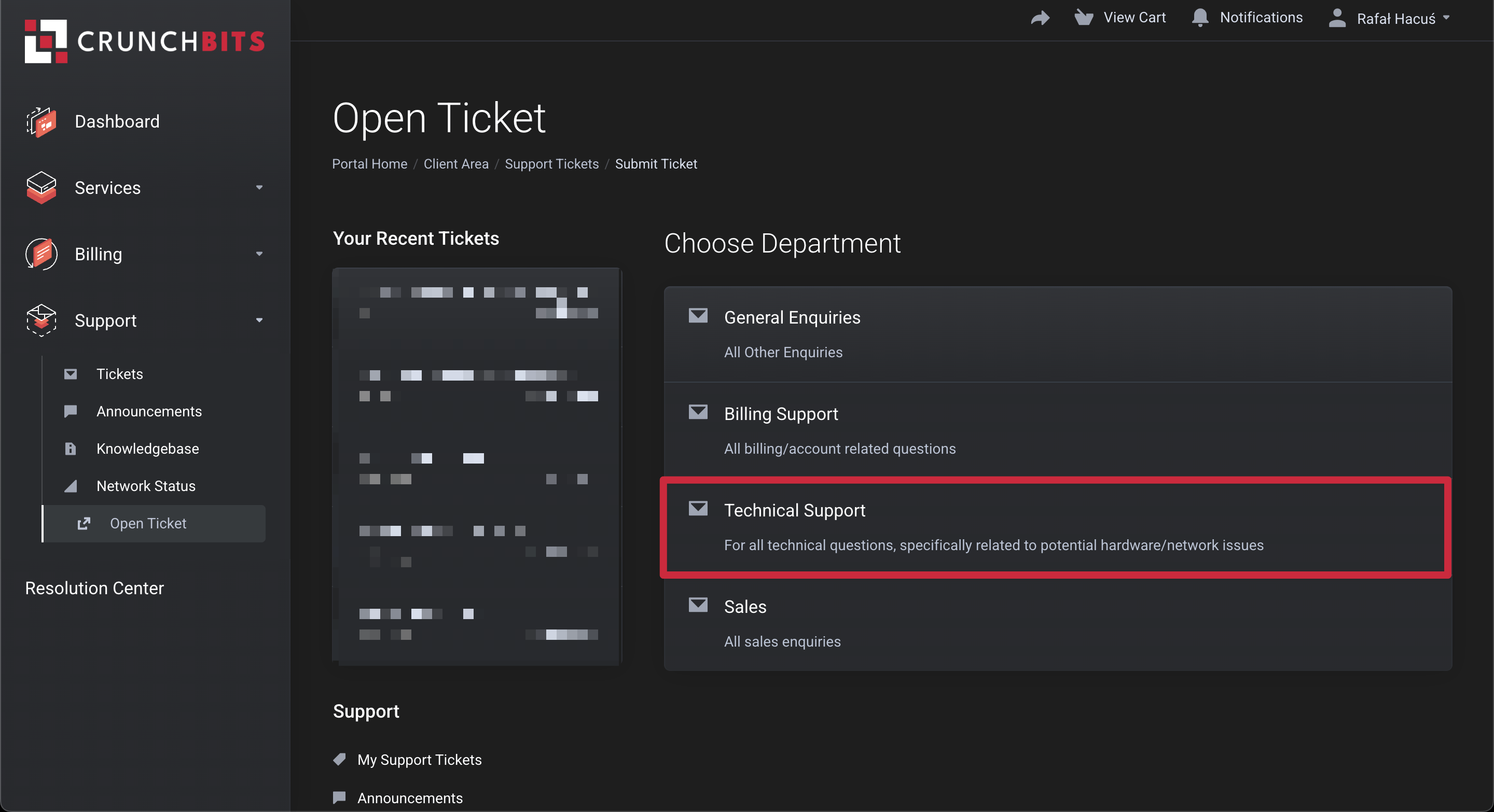
Start by going to our client area, and then on the left navigation bar, please select `Support` \[1] > `Open Ticket` \[2]
### 3. Fill out the body of the ticket
Then, select the `Technical Support` department
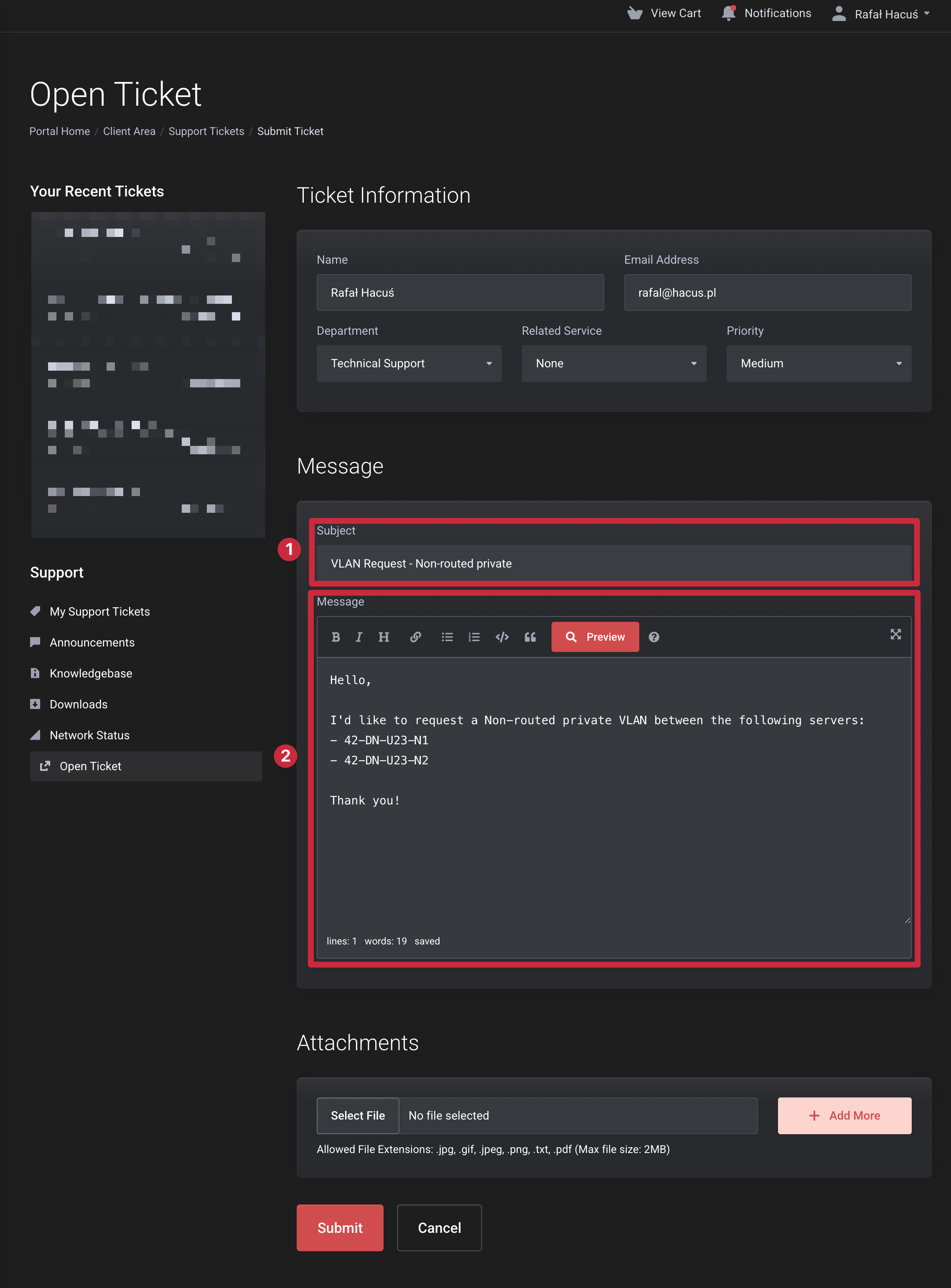
Afterward, please fill out the `Subject`, and the `Message` part as per the table below:
Hello,
I'd like to request a \[Non-routed private] / \[Routed public] VLAN between the following servers:
* \[42-XX-XX-N1]
* \[42-XX-XX-N2]
* \[42-XX-XX-N3]
* \[42-XX-XX-N4]
Thank you!
In the case of a routed public VLAN, you can either use your IPs \[that you have BGP with us], or get a subnet. Please mention which option you'd like in case you are requesting it.
### 4. Submit the ticket
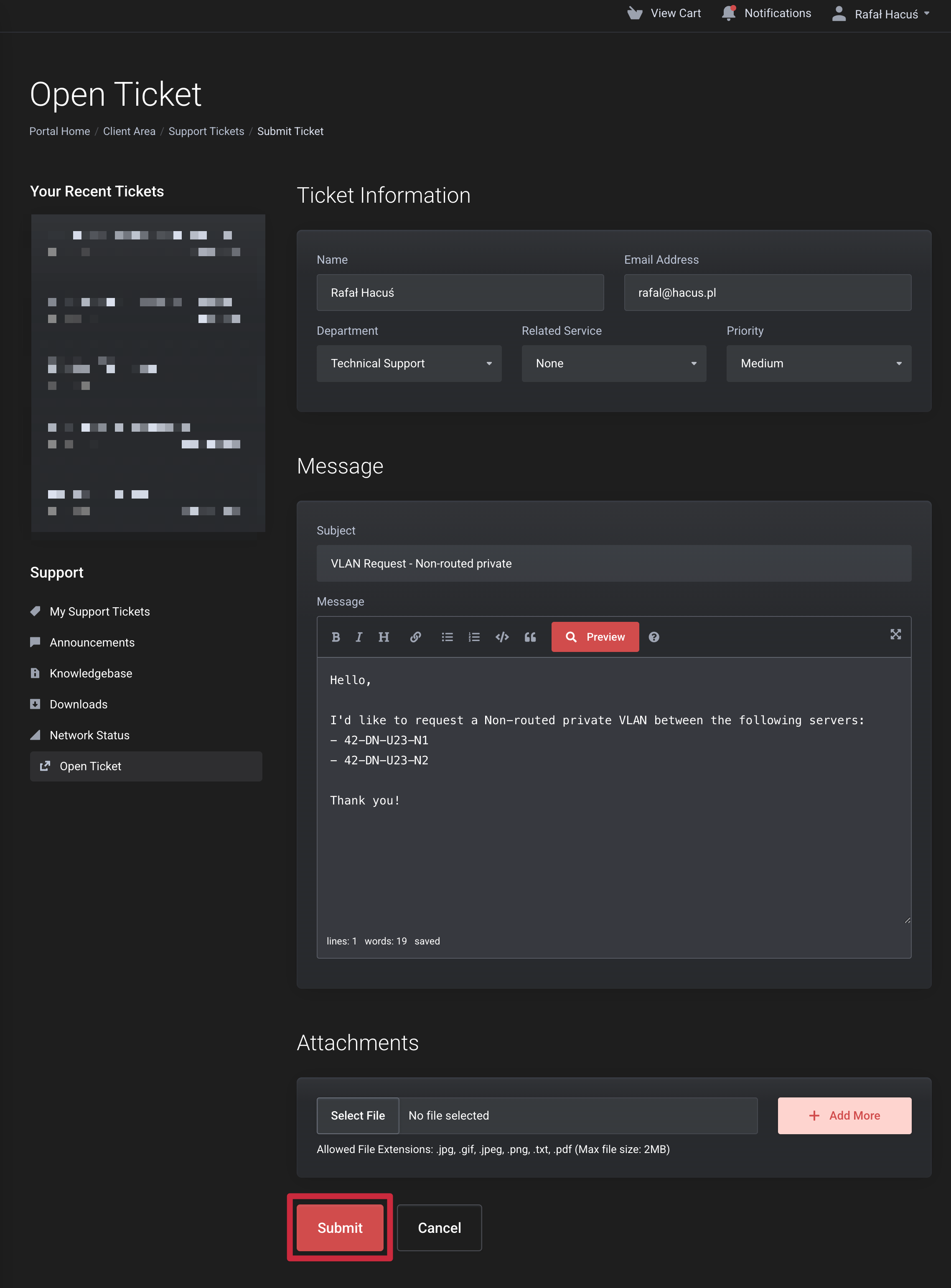
Then, please click the `Submit` button at the bottom, and wait until one of our team members gets back to you with further steps!
---
# Agent Instructions
This documentation is published with GitBook. GitBook is the documentation platform designed so that both humans and AI agents can read, navigate, and reason over technical content effectively. Learn more at gitbook.com.
## Querying This Documentation
If you need additional information that is not directly available in this page, you can query the documentation by asking a question.
Perform an HTTP GET request on the following URL with the `ask` and `goal` query parameters:
```
GET https://legacy.docs.synteq.com/networking/bgp-and-vlans/vlan-types-available-at-synteq.md?ask=&goal=
```
`ask` is the immediate question: it should be specific, self-contained, and written in natural language.
`goal` is what the user is ultimately trying to achieve, the reason they need the answer. Sharing it helps GitBook give you a better, more relevant answer. A goal is most helpful when it describes the outcome the user wants rather than restating the question. For example, with `ask=how do I create an API token`, a goal like `automate deployments from our CI pipeline` lets GitBook tailor the answer to that use case.
The response will contain a direct answer to the question and relevant excerpts and sources from the documentation.
Use this mechanism when the answer is not explicitly present in the current page, you need clarification or additional context, or you want to retrieve related documentation sections.